Bucket Creation
Quickly create and organize task buckets. Owners can manage and edit buckets via a dedicated panel with seamless Planner sync.
Designed to simplify both daily operations and complex project timelines, it integrates seamlessly with SharePoint, Microsoft Planner, and Microsoft Teams.
From interactive Gantt charts and role-based access to real-time effort variance reports, every feature is designed to help teams work faster, smarter, and more transparently.
With support for custom fields and hour approvals, the platform adapts easily to internal task management and client project delivery.
Stay ahead with dynamic dashboards and reports that give managers the real-time visibility they need to make informed decisions and take timely action.
1.Live Project Tracking, Not Static Templates
Unlike Excel-based trackers or printed schedules, Project Works delivers real-time updates on tasks, timelines, and progress — ensuring you always act on the latest data.
2.Visual Planning with Gantt Intelligence
Traditional tools lack visualization. Project Work’s interactive Gantt charts let teams visualize dependencies, adjust schedules by drag-and-drop, and track effort in context — all within a few clicks.
3.Built-In Automation, Less Manual Overhead
Stop updating spreadsheets or chasing approvals. With hour tracking, bulk approvals, and Power Automate integration, Project Works cuts repetitive tasks and keeps your team focused on execution.
4.Designed for Microsoft 365, Not Against It
No need for external logins or disconnected systems. Project Works natively inside Microsoft Teams, Planner, SharePoint, and Outlook, delivering power without disruption.
Reduction in time spent on reporting
Faster team coordination and task alignment
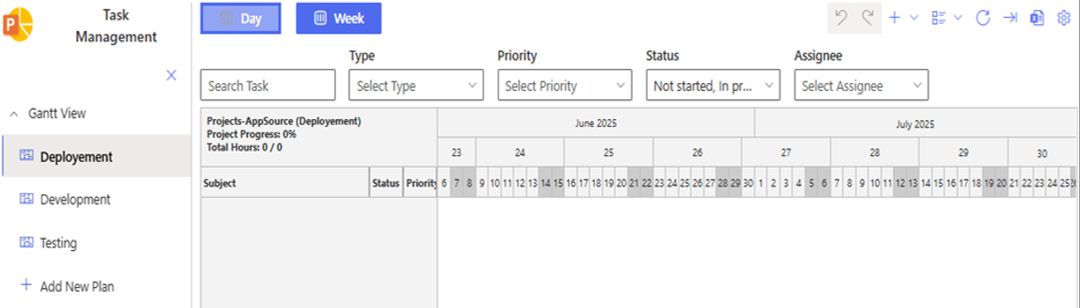
Visualize project timelines and task dependencies using interactive Gantt charts. Each chart is directly connected to a Microsoft Planner plan, enabling real-time task and schedule synchronization.
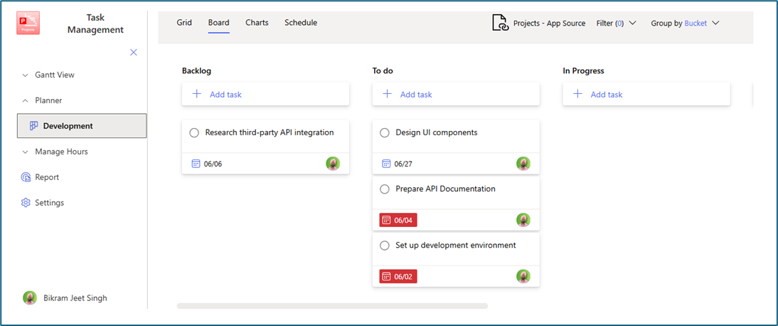
Access and manage Microsoft Planner boards directly within the app. Create, update, and track tasks while staying within the context of SharePoint or Microsoft Teams.
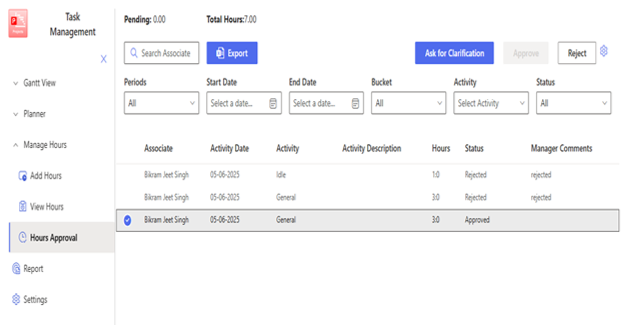
Log and monitor hours spent on tasks and projects. Supports accurate time reporting to help teams allocate resources efficiently and evaluate productivity
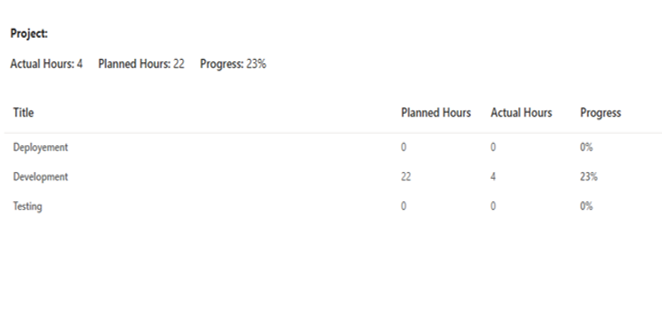
Generate comprehensive reports on project progress, planned vs. actual hours, and task status providing valuable insights for management and teams.
Customize application preferences, manage user roles, and configure SharePoint page settings to align with your organization’s needs.
100% Native to Office 365, these purpose-built apps gives your team power of seamless collaboration and

Quickly create and organize task buckets. Owners can manage and edit buckets via a dedicated panel with seamless Planner sync.

Supports both day and week views—displaying project data by day, week number, month, or year.

Bulk import tasks via Excel template or export current tasks to Excel, with different access views for owners and members.

Create tasks with full context: set titles, buckets, types, priorities, planned hours, start/end dates, labels, and assign members. Tasks sync to both Share Point and Planner and appear instantly on the Gantt chart.


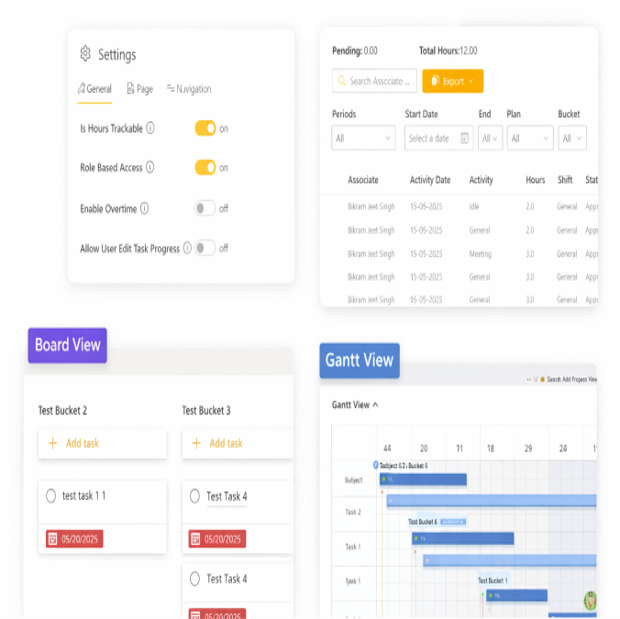
Track Hours Toggle: Enable or disable hour tracking across the tool. Default is enabled, but owners can turn it off if effort tracking is not required.

Control navigation behavior in the Single Page Application (SPA) layout Define whether the Planner module is visible to members or restricted to owners.

Adjusts the SharePoint page layout and spacing Optimizes the user interface to maximize screen space for the tool.

View, create, and edit activity types Activities can be customized to match different task categories or operational use cases
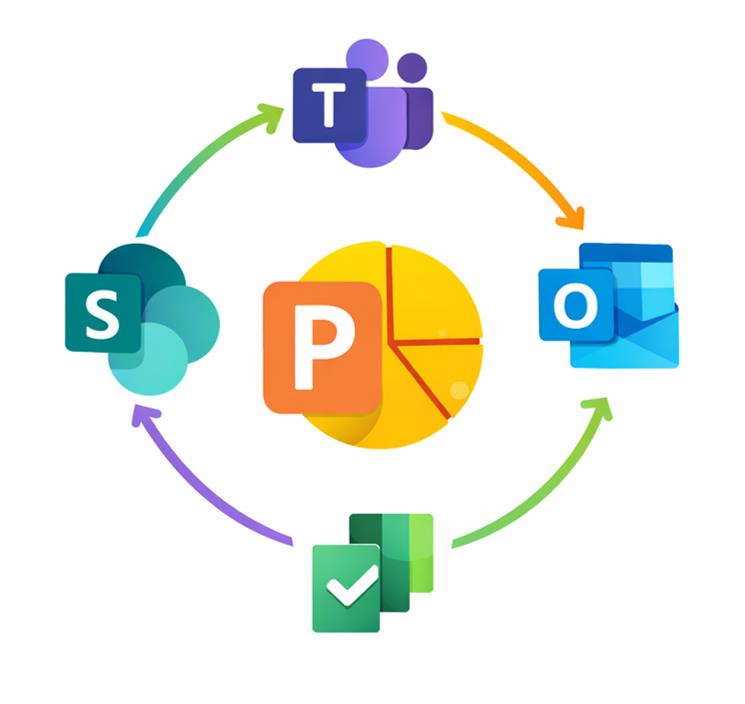
100% Native to Office 365, these purpose-built apps gives your team power of seamless collaboration and optimized workflows for smarter task execution – all designed to take your business to next level.
Purpose-built tools for real-world engineering
Call Us
Email Us