0
%
Helpdesk
Streamline Every Support Request — From Issue to Resolution
Welcome to Helpdesk Works, your centralized system for managing support requests across the organization.
Log issues instantly, route them to the right people or group, and gain powerful analytics—all without leaving your Microsoft ecosystem.
Connects seamlessly with SharePoint | Outlook | Microsoft Teams.
Seamless Integration with Office 365
100% Integrated
Say goodbye to scattered emails and siloed spreadsheets.
Manage every support request inside SharePoint and Teams with live, secure data.
FAST
Resolves Issue Faster
From instant request creation to visual dashboards, your team gets everything needed to act quickly and stay accountable.
Key App Features
Transform your support operations with a modern Helpdesk that streamlines reporting, triaging, and tracking.
Users can submit issues in seconds, while admins gain full visibility into categories, assignments, and historical performance.
With real-time charts, Excel exports, and Power BI integration, you always know what needs attention—and why.
Raise Requests in Seconds
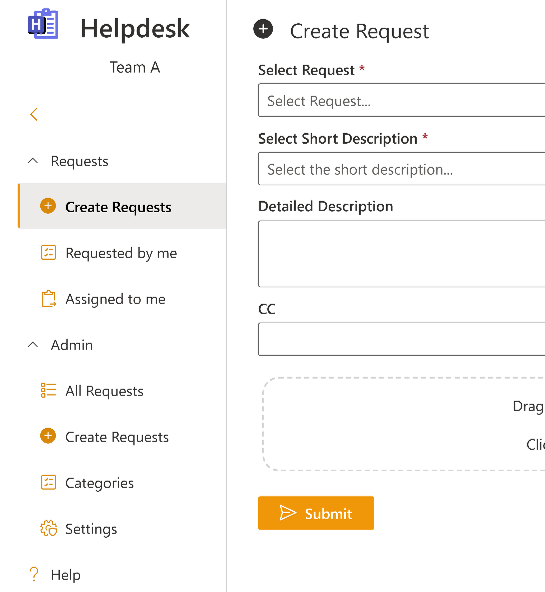
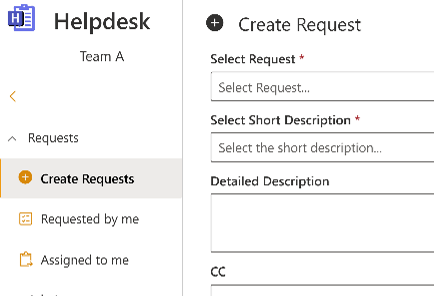
Submitting issues is effortless: pick a category, describe the problem, add attachments, and hit submit. Users receive instant email confirmation, ensuring full transparency from creation to resolution.
Your Requests, Perfectly Organized
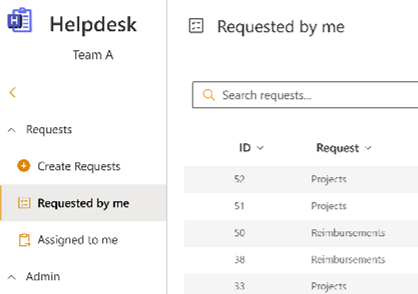
Track everything you’ve submitted in one clean dashboard. Filter, sort, search across all fields, and export your view to Excel—whether you want a quick snapshot or detailed reporting.
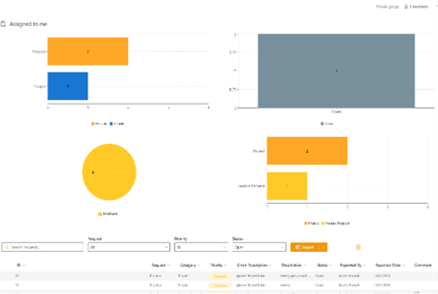
Assigned to Me
Your assigned tasks come with visual insights: bar charts, pie charts, and smart filters help you prioritize workload instantly. Search, sort, and export—all from a single screen.
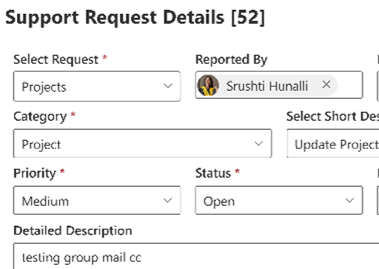
Update Any Request with Ease
Users and admins can update request details directly from the panel, keeping information accurate and up-to-date at all times.
Complete Control for Administrators — From Setup to Operations
Helpdesk Works gives administrators a powerful, all-in-one control center. Customize field names, categories, and terminology from day one to match your organization’s workflow. Admins get complete visibility through an All Requests Dashboard with interactive charts, smart filters, and Excel exports, and can create requests on behalf of users to capture every issue. Flexible category management and advanced settings let admins manage categories in bulk, adjust display names, email signatures, and SharePoint UI elements—ensuring the Helpdesk fits your branding and operational needs perfectly.
Installation & Teams Integration
Install the Helpdesk in SharePoint and add it as a Teams tab in minutes. Reuse across multiple sites and channels with zero extra setup.
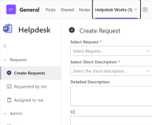
Application Overview
Experience a seamless sales workflow fully integrated into your existing Microsoft 365 environment.
- Create Request
- Requested by Me
- Assigned to Me
- All Requests
- Create Request
- Add Categories
- Settings
Log Requests on Behalf of Others
Admins can quickly create support tickets for other users—ideal for escalations, or when a user reports issues verbally. All required metadata (Reported By, Reported On, Priority, Status, Assigned To, Category, Subcategory) is captured up-front so requests are actionable from day one.
Reported By / Reported On
Log the original requester and the date the issue was reported to the admin.
Complete Metadata
Capture Priority, Status, CC, Detailed Description, and Attachments at creation.
Instant Notifications
Assigned users and the reported person receive email notifications immediately after creation.
Auto-fill Assignment
Suggested assignee is populated based on the selected Category, with option to reassign manually.
Audit-Friendly Logging
Requests created by admins are recorded under the specified Reported By name for clear traceability.
Track All Your Submitted Requests in One Place
Never lose sight of your support history. View every request you’ve raised, refine results using powerful filters, and export your data for reporting. Everything you need to stay informed and organized is just a click away.
Global Search
Search across all request fields instantly.
Sortable Columns
Click any column header to sort and refine results.
Advanced Filters
Filter by Status, Category and more.
Excel Export
Export the current view or the full dataset based on your preferred configuration.
Manage Your Workload with Visual Insights
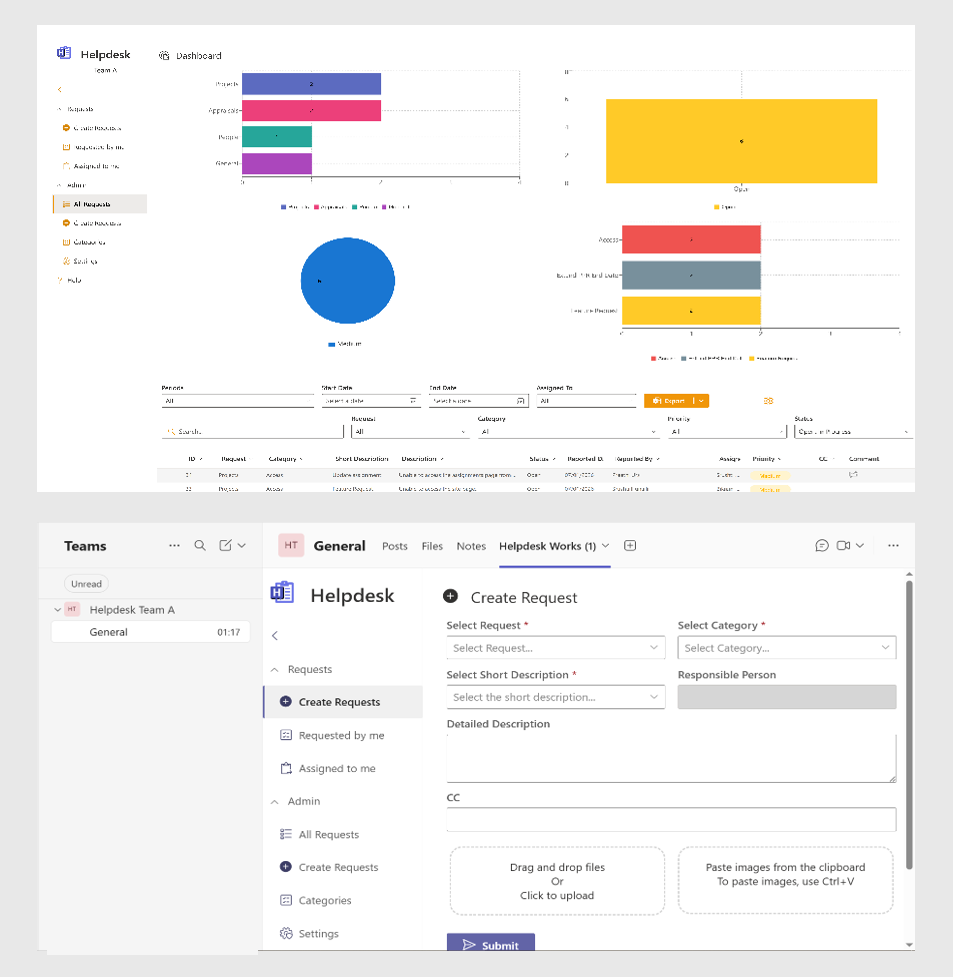
View all requests assigned to you, supported by intuitive bar charts and pie charts. Drill into categories, filter results dynamically, and export your filtered list in seconds.
Interactive Charts
Click bar or pie segments to filter requests instantly.
Search & Sort
Quickly locate requests with powerful search and sorting features.
Smart Filters
Filter by Status, Priority, Request Type, Category, and more.
Excel Export
Export either your current view or the full set of available fields.
Monitor Every Request with Powerful Admin Dashboards
Gain complete visibility into organizational support activity. Analyse request volume, resolution patterns, and category trends using dynamic visual reports. Adjustable date ranges allow deeper exploration of historical performance.
Period Selector
Choose from predefined date ranges like Week-to-Date, Last Month, or Year-to-Date.
Advanced Filtering
Filter by Category, Subcategory, Priority, Status, Assigned To, and more.
Interactive Charts
Horizontal bar and pie charts for clear visual analysis.
Excel Export
Export Current View or Default View for comprehensive reporting.
Log Requests on Behalf of Others
Admins can quickly create support tickets for other users—ideal for escalations, or when a user reports issues verbally. All required metadata (Reported By, Reported On, Priority, Status, Assigned To, Category, Subcategory) is captured up-front so requests are actionable from day one.
Reported By / Reported On
Log the original requester and the date the issue was reported to the admin.
Complete Metadata
Capture Priority, Status, CC, Detailed Description, and Attachments at creation.
Instant Notifications
Assigned users and the reported person receive email notifications immediately after creation.
Auto-fill Assignment
Suggested assignee is populated based on the selected Category, with option to reassign manually.
Audit-Friendly Logging
Requests created by admins are recorded under the specified Reported By name for clear traceability.
Build and Maintain Your Helpdesk Categories with Ease
Keep your Helpdesk organized with a powerful, admin-friendly interface for managing Categories, Subcategories, Common Issues, and Responsible Persons. Add items individually or upload them in bulk—ensuring your support structure stays clean, scalable, and aligned with how your organization works.
Add or Edit Categories Instantly
Create new Category and Subcategory pairs, define Common Issues, and assign the correct responsible user or group. Every field is validated to ensure accuracy and consistency.
Bulk Import via Excel
Upload dozens or hundreds of categories in one go. Download a template, fill in your data, and import it with a single click. Perfect for initial setup or large-scale restructuring.
Audit-Friendly Updates
Every change is tracked through structured data lists, ensuring your taxonomy remains clear and manageable over time.
Assign Responsible Persons
Specify who owns each issue type. Choose users or Office 365 groups—ensuring requests automatically route to the right team from the moment they are created.
Search & Filter Tools
Quickly locate existing categories using keyword searches or Category drop-down filters. Open any item to edit or delete it directly.
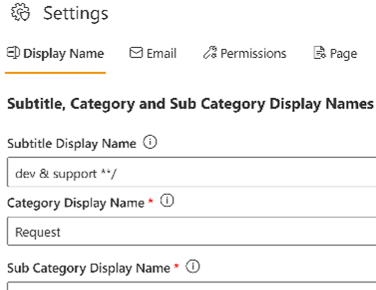
Customize How Your Helpdesk Behaves
A central Admin Settings panel lets administrators tailor the Helpdesk to organizational needs—without code. Change display names, manage email branding, and control SharePoint UI elements so the tool fits your environment.
Display Name
Rename Category and Subcategory labels to match your internal terminology.
Page / UI Controls
Show or hide SharePoint elements (O365 navigation, Hub nav, Comments, Page title) to match your site experience.
Bulk Category Management
Upload or update categories via Excel to accelerate large changes.
Email Signature
Edit the email signature used in automated helpdesk communications for consistent branding.
Responsible Persons
Define or update default responsible users/groups for categories and common issues.
Configure Your Helpdesk Pipeline Your Way
100% native to SharePoint and Teams (Personal App and Tab), the Helpdesk Tool gives you full control over how support operations run. Use the Admin Settings panel to customize Category and Subcategory names, update email signatures, define responsible users, and tailor the SharePoint interface to match your organization’s style—all without any coding. Whether you’re configuring the system yourself or managing bulk updates to categories and issue types, the Helpdesk adapts seamlessly to your workflow.
Plans That Fit Your Scale
Lorem ipsum dolor sit amet, consectetur adipiscing elit, sed do eiusmod tempor incididunt ut labore et dolore magna aliqua. Ut enim ad minim veniam
- Monthly
- Yearly
Basic Plan
Get the basic HR support you need keep your small business running smoothly
$0/per month
- Basic reports
- 24/7 email and live chat support
- Active fraud prevention
- Dispute management
- 2 staff accounts
Best Value
Premium Plan
Get the basic HR support you need keep your small business running smoothly
$68/per month
- Professional reports
- 24/7 email and live chat support
- Active fraud prevention
- Dispute management
- 5 staff accounts
Enterprise Plan
Get the basic HR support you need keep your small business running smoothly
$125/per month
- Custom report builder
- 24/7 email and live chat support
- Active fraud prevention
- Dispute management
- 15 staff accounts
Basic Plan
Get the basic HR support you need keep your small business running smoothly
$80/per yearly
- Basic reports
- 24/7 email and live chat support
- Active fraud prevention
- Dispute management
- 2 staff accounts
Best Value
Premium Plan
Get the basic HR support you need keep your small business running smoothly
$112/per yearly
- Professional reports
- 24/7 email and live chat support
- Active fraud prevention
- Dispute management
- 5 staff accounts
Enterprise Plan
Get the basic HR support you need keep your small business running smoothly
$185/per yearly
- Custom report builder
- 24/7 email and live chat support
- Active fraud prevention
- Dispute management
- 15 staff accounts
Ready to Transform Your Business? Take the First Step Today!
Purpose-built tools for real-world engineering
Call Us
+49 821 71717
Email Us
support@chandra.works

Copyright © 2025 Chandra. All rights reserved.