0
%
Sales
Streamline Your Sales Lifecycle from Opportunity to Order
Welcome to Sales Works, your central hub for managing the complete sales journey. seamless tracking of Opportunities, linked Quotations, and Purchase Orders directly within SharePoint. Gain actionable insights with real-time dashboards and comprehensive reporting.
Seamless Integration, Superior Control
Unlike disconnected spreadsheets or complex external CRMs, Sales Works is a modern Single Page Application (SPA) built directly into SharePoint and Teams. It unifies your entire sales lifecycle—from Opportunity to Purchase Order—ensuring your data remains secure, centralized, and instantly accessible within your existing Microsoft environment.
100% Digital
Eliminate app-switching. Manage Opportunities, Quotations, and POs directly inside SharePoint and Teams with live data storage in SharePoint Lists.
FAST
Rapid Deployment
Accelerate setup with advanced Excel bulk imports that automatically create missing master data and validate fields instantly
Key App Features
Streamline your sales lifecycle with a modern, SharePoint-integrated solution. From tracking initial opportunities to managing final purchase orders, Sales Works provides the tools you need to close deals faster and analyze performance in real-time.
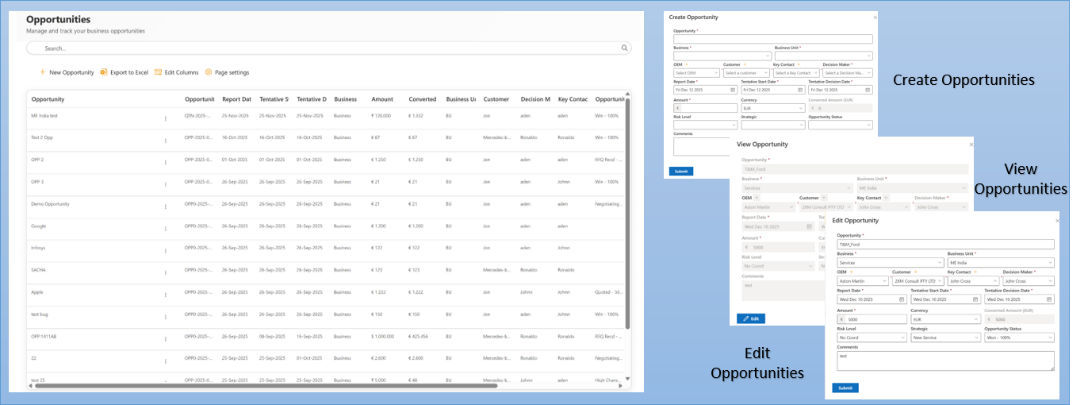
End-to-End Opportunity Management
Capture and track every business prospect from inception to closure. Use simplified forms or Excel bulk imports to manage leads, while the system automatically handles master data creation for new customers and contacts.
Hierarchical Quote & Order Tracking
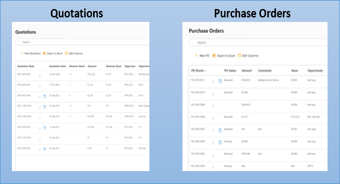
Maintain perfect data integrity by linking financial records directly to their source. Associate up to 5 quotations and 25 purchase orders to each parent opportunity, ensuring a complete, audit-ready history of every deal.
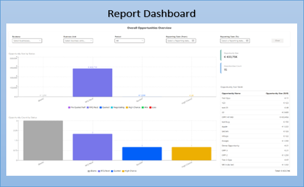
Interactive Sales Dashboards
Turn raw data into actionable business intelligence. Access filterable reports and visual charts to analyze win/loss rates, revenue distribution, and pipeline health in real-time without leaving the app
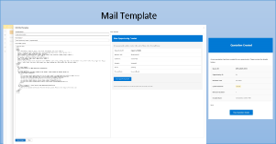
Centralized Configuration & Notifications
Customize the system to match your business rules. Configure ID prefixes (e.g., QTN-2025), manage drop-down options, and configure automated email notification flows to instantly alert users assigned to specific Business Units, ensuring timely follow-ups.
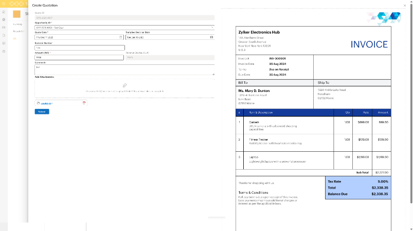
Integrated Document Management
Keep your sales collateral organized and secure within SharePoint. Drag and drop supporting files directly into quotes or POs and view them instantly with built-in PDF and Excel previewers.
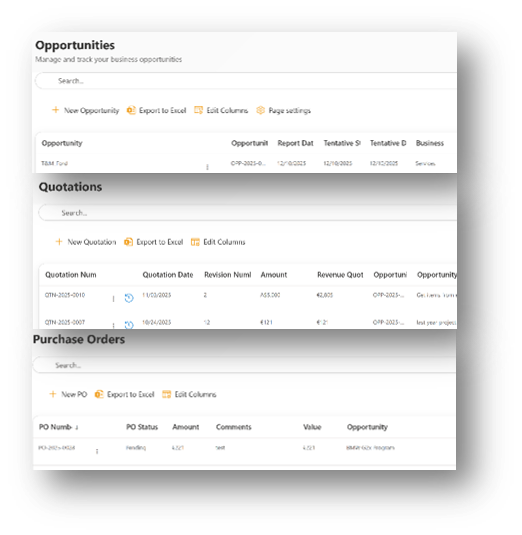
Application Overview
Experience a seamless sales workflow fully integrated into your existing Microsoft 365 environment.
- Opportunities
- Quotes & POs
- Sales History
- Reports
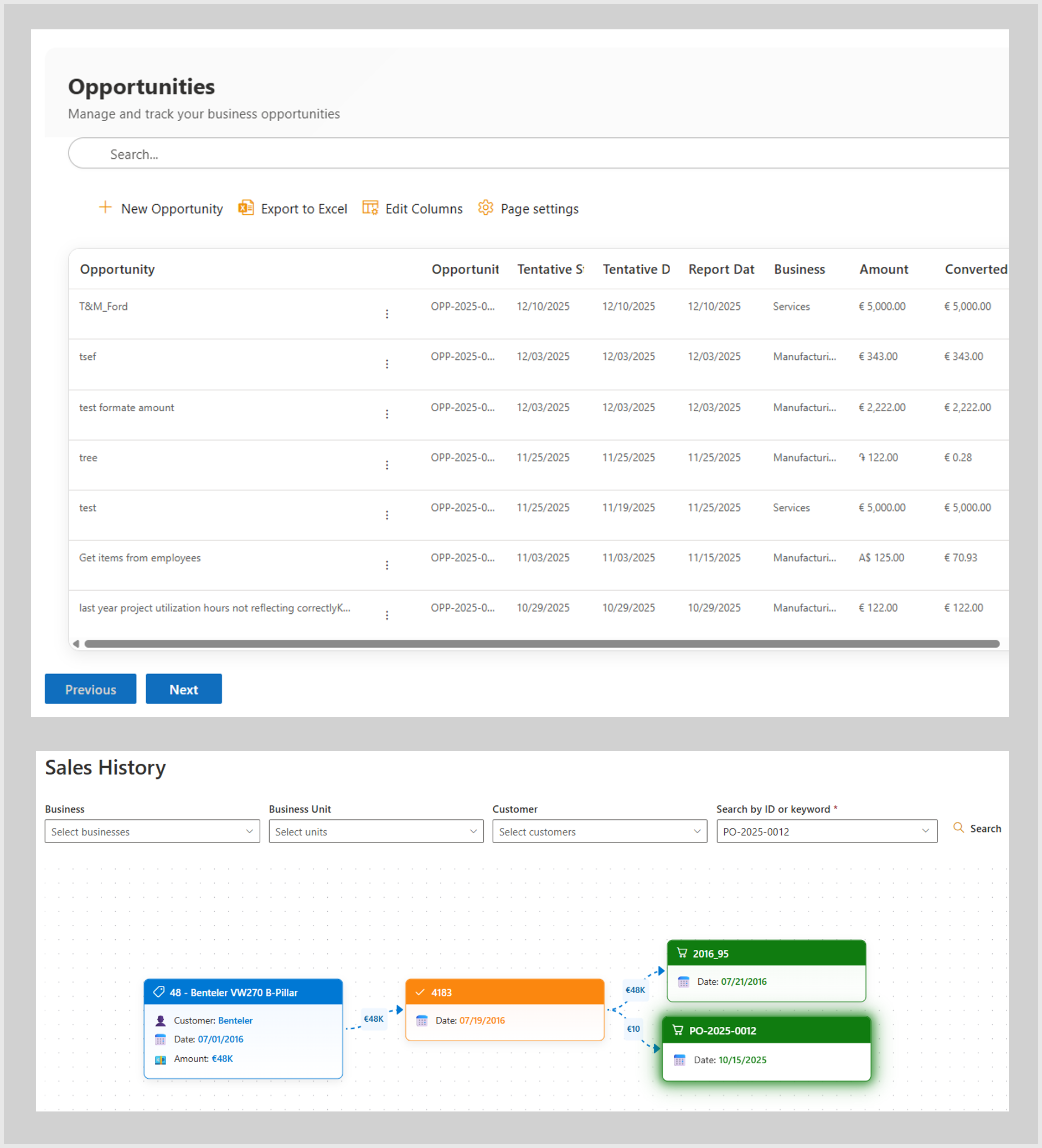
Manage Your Pipeline from Lead to Deal
Capture and track every potential sale with precision. Our streamlined entry forms and validation logic ensure you never miss critical data, while bulk tools allow you to manage high volumes effortlessly.
Smart Validation
Detailed forms ensure no required data is missed before saving.
Automated Alerts
Automatically send notifications to users assigned to specific Business Units whenever a new opportunity is created or assigned.
Bulk Excel Import
Upload hundreds of opportunities at once with auto-creation of master data.
Custom Identifiers
Auto-generate IDs (e.g., OPP-2025-001) based on your company’s specific prefix rules.
Streamline Financial Documentation
Maintain a clear financial audit trail by linking every document. Create quotations linked directly to opportunities, and seamlessly convert them into Purchase Orders without data duplication.
Hierarchical Linking
Associate up to 5 quotations and 25 POs per opportunity.
Drag-and-Drop Files
Attach PDFs or Excel sheets directly to records with in-app previewing.
Revision History
Track quote revisions and value changes over time.
PO Management
Track PO amounts, status, and custom PO numbers in one view.
Visualize Deal Flow with Interactive Mind Maps
Transform flat lists into a dynamic visual story. The Sales History view generates an interactive mind map for every deal, clearly displaying the hierarchy and relationships between your Opportunities, Quotations, and Purchase Orders in a single tree diagram.
Mind Map Layout
Instantly generate a visual tree showing the complete lineage of your sales data
Interactive Nodes
Click on any node in the map to expand branches or drill down into specific record details
3-Tier Connection
Visually trace the path from Opportunity → Quotation → Purchase Order at a glance
Smart Search
Locate any Opportunity by ID or Customer to instantly render its specific history map
Visualize Success with Advanced Analytics
Transform raw data into strategic insights. Our interactive reporting engine helps you analyze performance, understand win/loss ratios, and make data-driven decisions for future growth.
Interactive Charts
Visualize opportunity size, count, and status distribution.
Smart Filtering
Slice data by customer, date range, or business unit.
Win/Loss Analysis
Dedicated reports to track closed deals and lost opportunities.
Excel Export
Export filtered datasets instantly for external meetings or deep analysis.
Configure Your Sales Pipeline Your Way
100% Native to SharePoint, the Sales Works app gives you full control over your business logic. Use the dedicated Admin Settings panel to define custom ID prefixes (like OPP-2025), manage opportunity statuses, and configure regional currencies. You can also configure Email Notification Flows to ensure users assigned to Business Units never miss an update—all without any coding. Whether you manage the setup yourself or need assistance with bulk data imports, the system adapts to your workflow.
Plans That Fit Your Scale
Select a plan that aligns with your team’s workflow, project complexity, and growth goals. Our solutions scale with your engineering needs while ensuring performance, security, and efficiency.
- Monthly
- Yearly
Basic Plan
Get the basic HR support you need keep your small business running smoothly
$0/per month
- Basic reports
- 24/7 email and live chat support
- Active fraud prevention
- Dispute management
- 2 staff accounts
Best Value
Premium Plan
Get the basic HR support you need keep your small business running smoothly
$68/per month
- Professional reports
- 24/7 email and live chat support
- Active fraud prevention
- Dispute management
- 5 staff accounts
Enterprise Plan
Get the basic HR support you need keep your small business running smoothly
$125/per month
- Custom report builder
- 24/7 email and live chat support
- Active fraud prevention
- Dispute management
- 15 staff accounts
Basic Plan
Get the basic HR support you need keep your small business running smoothly
$80/per yearly
- Basic reports
- 24/7 email and live chat support
- Active fraud prevention
- Dispute management
- 2 staff accounts
Best Value
Premium Plan
Get the basic HR support you need keep your small business running smoothly
$112/per yearly
- Professional reports
- 24/7 email and live chat support
- Active fraud prevention
- Dispute management
- 5 staff accounts
Enterprise Plan
Get the basic HR support you need keep your small business running smoothly
$185/per yearly
- Custom report builder
- 24/7 email and live chat support
- Active fraud prevention
- Dispute management
- 15 staff accounts
Ready to Transform Your Business? Take the First Step Today!
Purpose-built tools for real-world engineering
Call Us
+49 821 71717
Email Us
support@chandra.works

Copyright © 2025 Sacha Solutions. All rights reserved.